
If you have multiple locations, you can choose to bill at the company level (one credit card, one charge, all locations) or the location level (several credit cards, separate charge per location). To change this option, click on the gear icon then Company Profile and scroll to More Options.
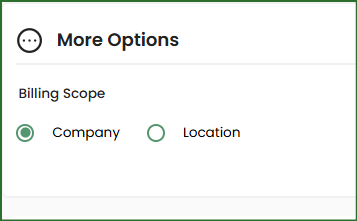
NOTE: If your billing happens at the location level, your Company billing section will look like this and you will need to go into each location to update the billing but the process for updating your card will be the same.
Click on ADD A NEW CARD
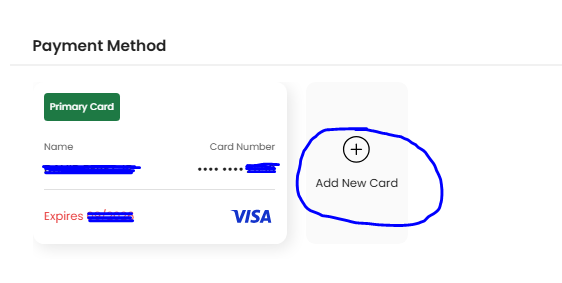
Mark the card you wish to use for billing as your PRIMARY CARD. You can have multiple cards on file. Your primary card will always be used for payments but backup cards will ensure that you do not lose access to your account in the event your primary card cannot be charged.
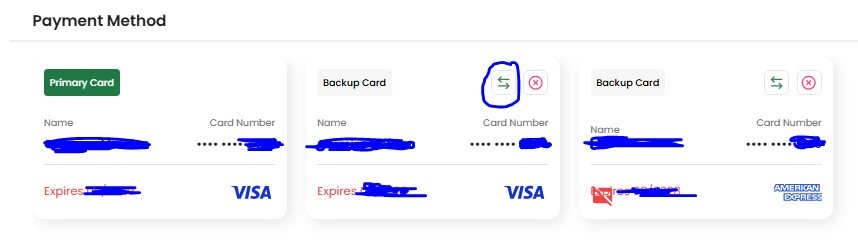
Set your primary card
The arrows will allow you to set your primary card. The X will delete the card from your account.
If you have multiple locations, you can set up separate billing for each location.
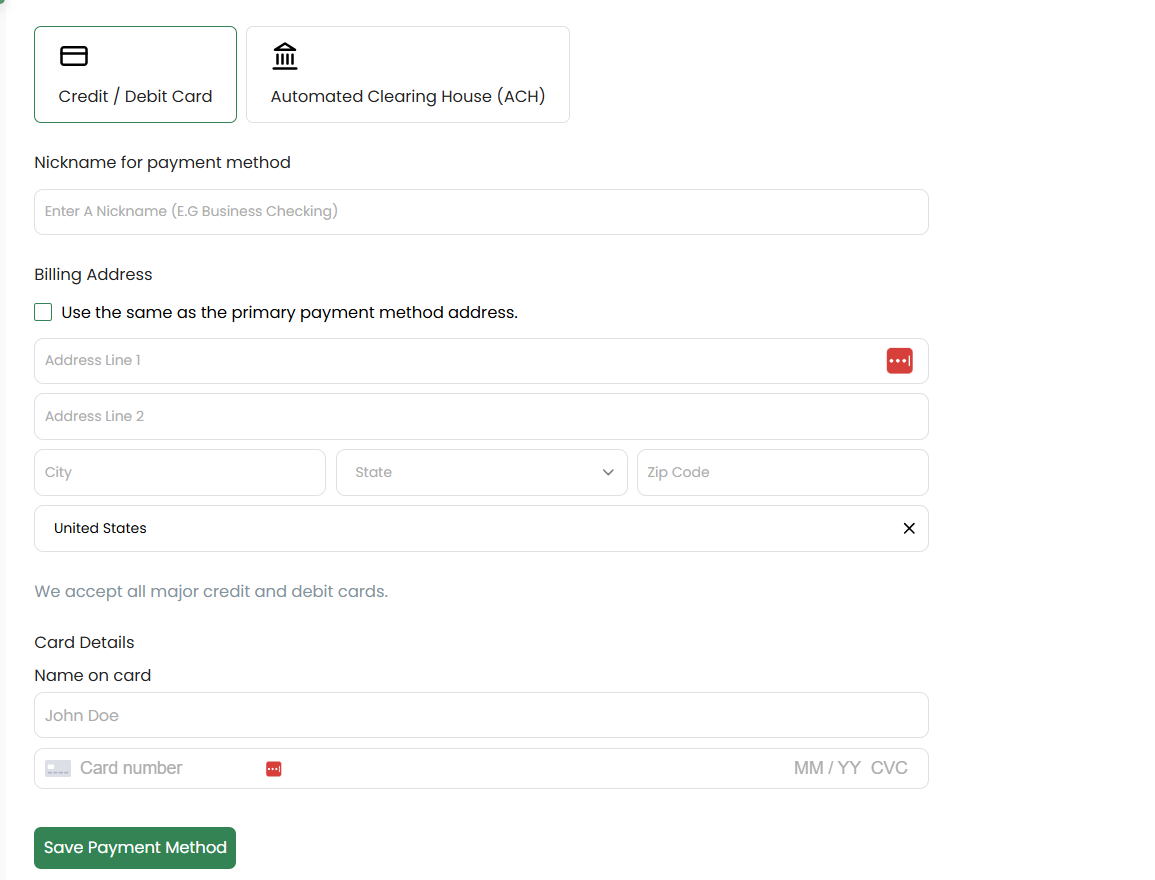
If you'd like to avoid the 3% credit card fees and live in the US, you can choose ACH instead of credit cards.
Click on Automated Clearing House then follow the on screen instructions to link your bank account.
Related Articles
How to Set Up Separate Billing for Each Location