
When clickBACON connects with your R365 account, your vendor list is imported and kept updated automatically. We sync vendors into clickBACON every 24 hours OR when you manually refresh the list.
Why Vendors Must Match Exactly
With R365, vendor names must be an exact match. If a document is pushed with even the smallest difference (a misspelling, capitalization change, or spacing) the document will fail.
For this reason:
- You cannot edit or add vendors directly in clickBACON.
- All new vendors must be created in R365 first.
- Once added in R365, vendors will sync with clickBACON daily.
Adding Vendors
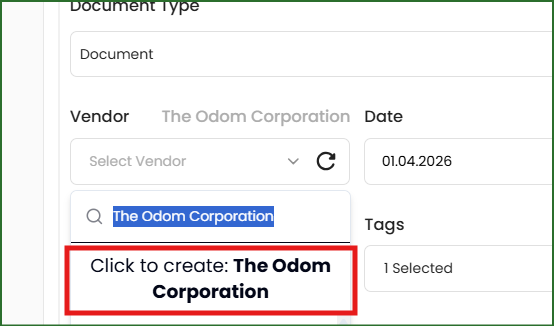
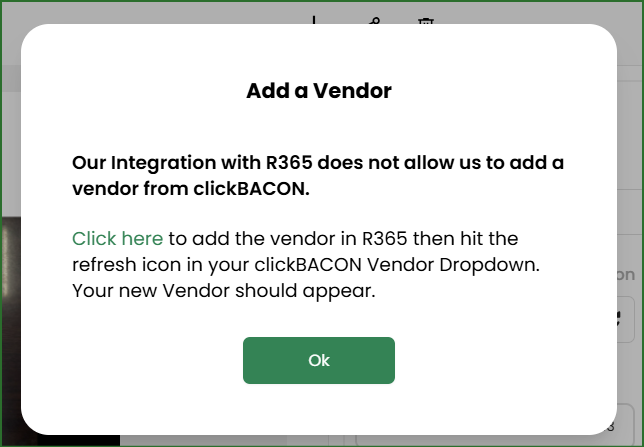
Vendors must be created inside R365. However, if you try to create a vendor from either the Vendor List page or from within the document, it will redirect you to your R365 account to create the vendor first.
Once created, come back to clickBACON and manually refresh your vendor list by clicking the refresh button.
Related Articles