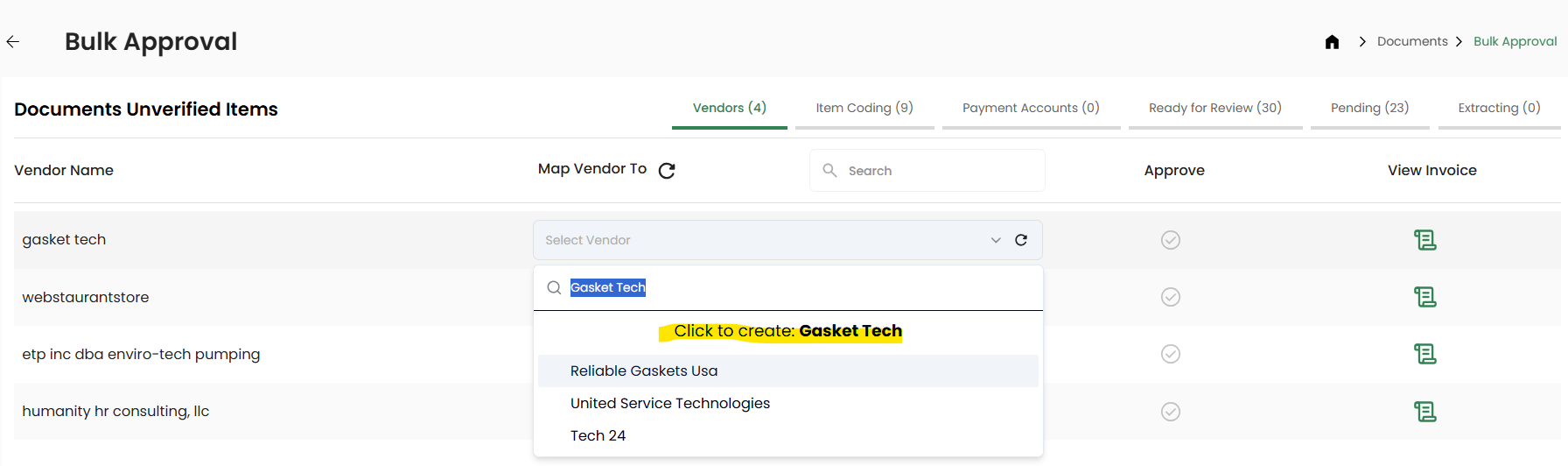
When connected to QuickBooks Online, your vendor list in clickBACON is pulled in from QuickBooks Online. The system will automatically refresh this list once every 24 hours. You can manually sync vendors by clicking on the refresh button on the Vendor List page or on the vendor dropdown field on the document.
If you make any changes to vendors, those changes will only reflect inside clickBACON. There is ONE exception to this rule.
You can create a QuickBooks Vendor on the bulk approval screen or from the vendor drop down field in your document.