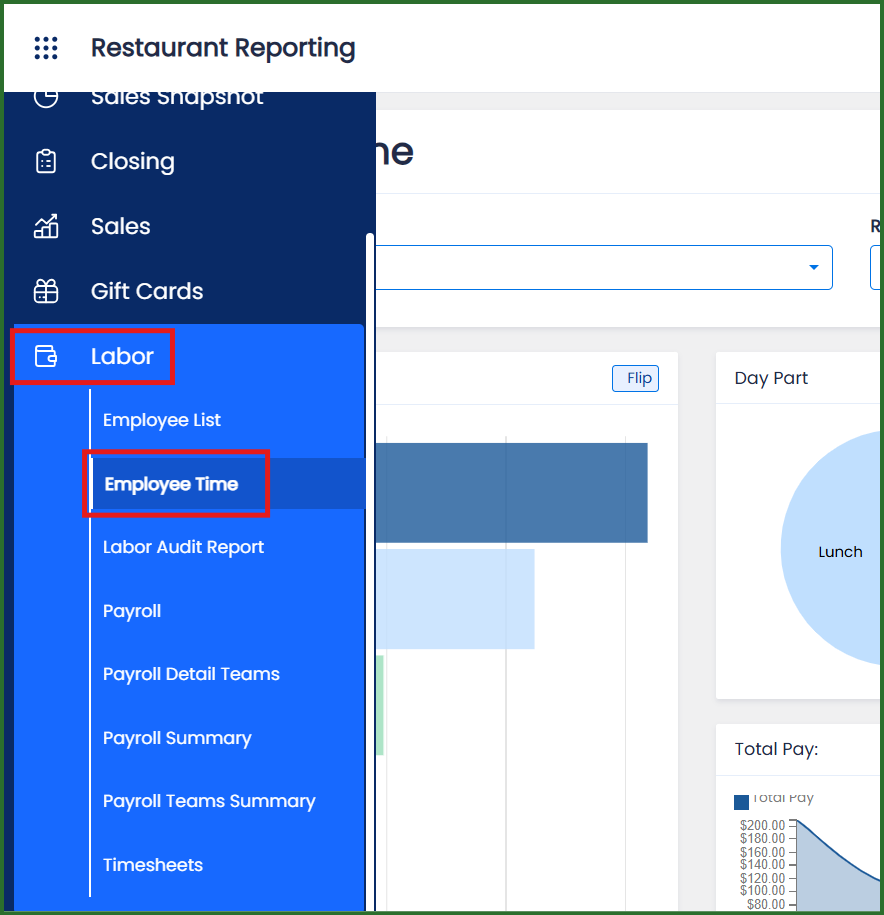
If your repull request left the Daily Sales Report unbalanced, you will receive an email asking you to request another repull and to include the reports as well. We will need the Daily Sales Recap, Product Mix, Discount and Labor reports.
For SpotOn, log into the reporting site here: https://restaurantreports.spoton.com/
DAILY SALES RECAP:
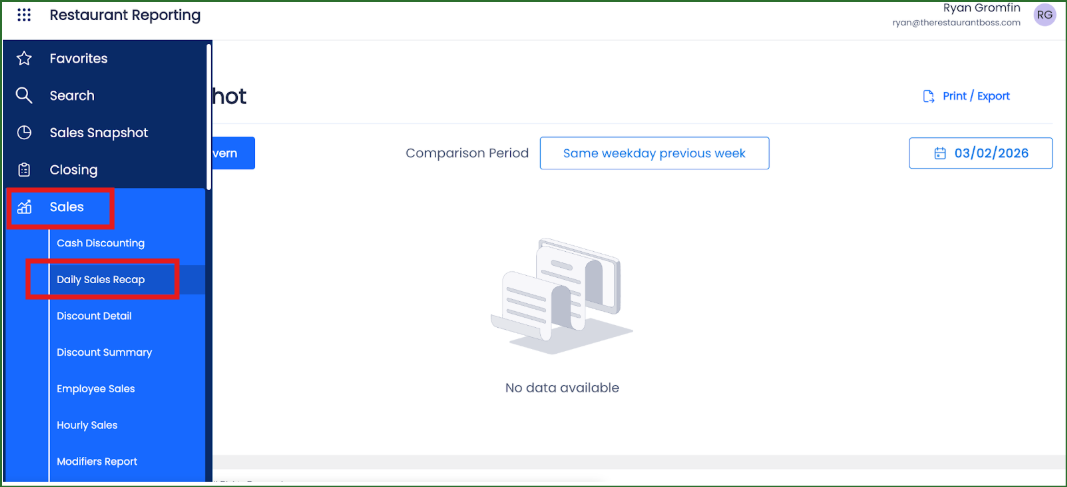
From the left side navigation, click on SALES then DAILY SALES RECAP
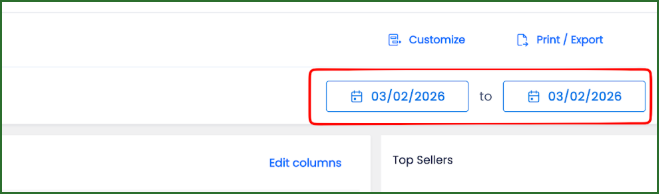
Click on the dates to open the calendar. If you are repulling more than one day, please create separate reports for each day.
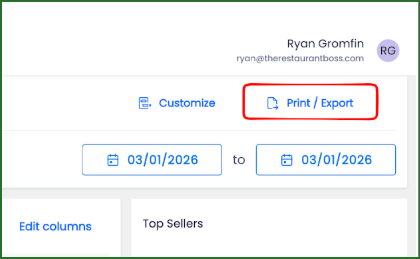
Select PRINT/EXPORT.
Enter the clickBACON email address provided for your restaurant and click SEND.
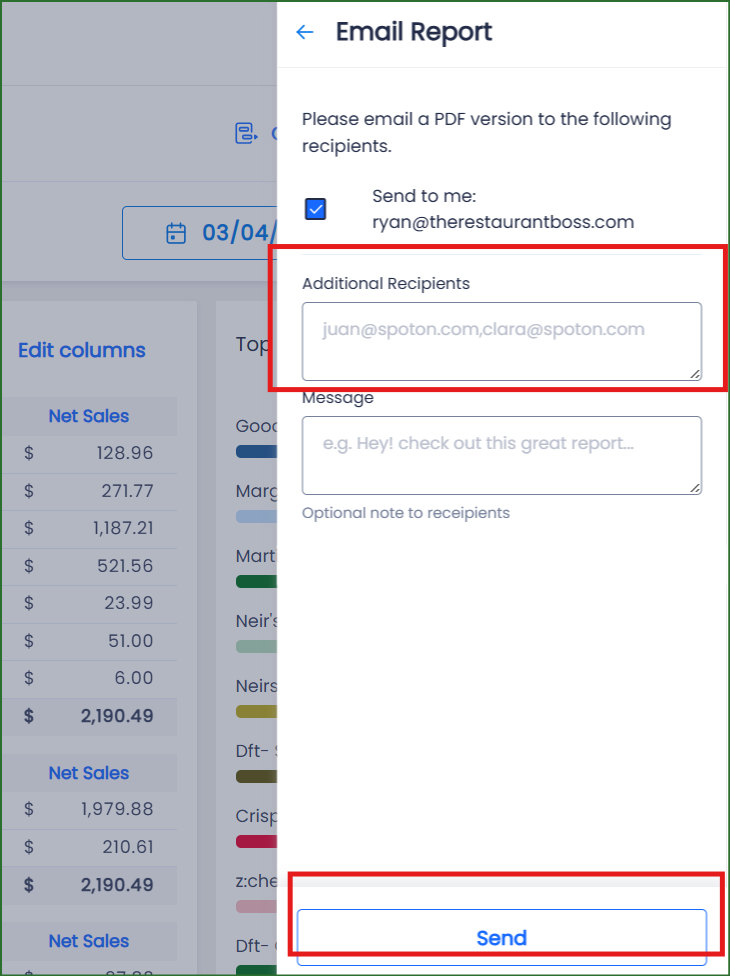
NOW COMPLETE THE SAME STEPS FOR THE OTHER 3 REPORTS NEEDED.
• Click on SALES then PRODUCT MIX
(Choose the date then email report to your clickBACON restaurant email)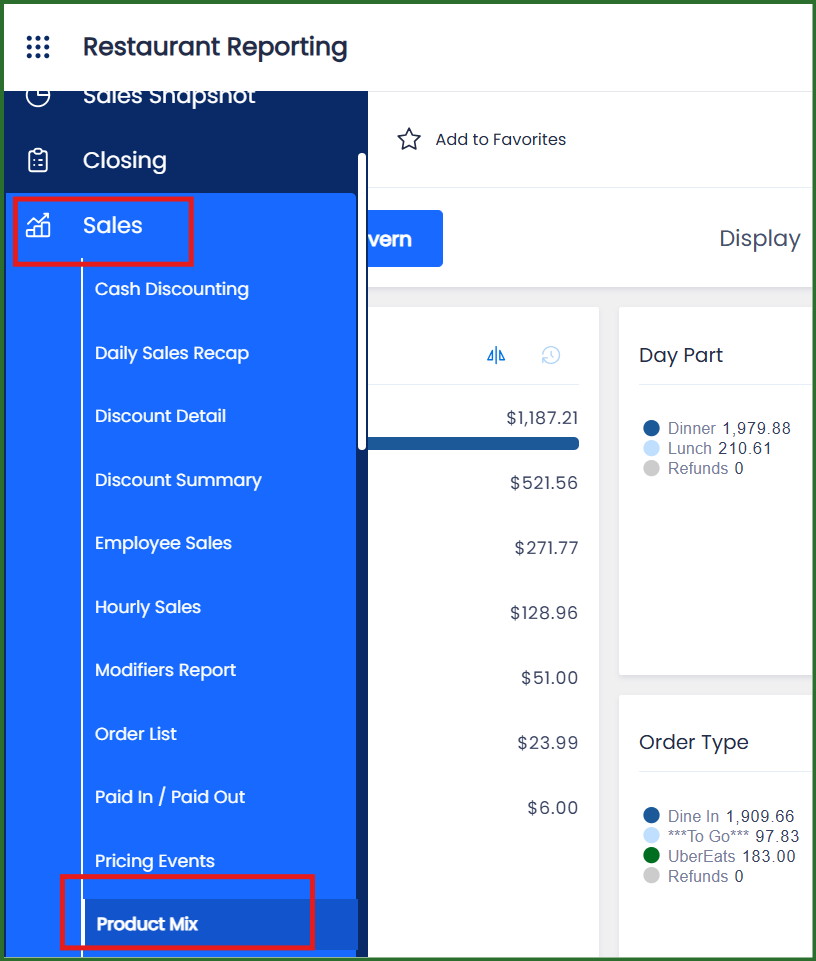
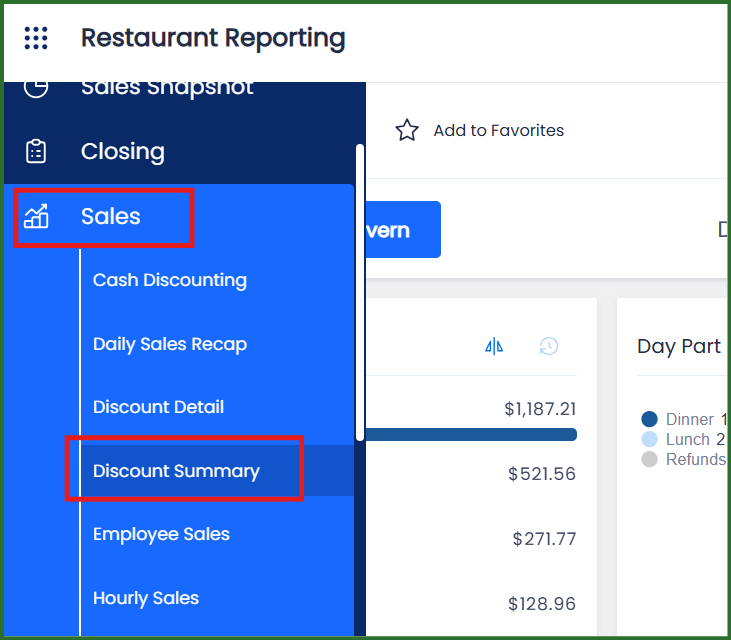
• Click on SALES then DISCOUNT SUMMARY
(Choose the date then email report to your clickBACON restaurant email)
• Click on LABOR then EMPLOYEE TIME
(Choose the date then email report to your clickBACON restaurant email. Note: the option here is only PRINT but if you click on the arrow next to it, the drop down menu allows you to email the report just like your previous steps)