
You will need to create a recurring email subscription to 4 reports for clickBACON to pull in your SpotOn sales data.
1. Email support@clickbacon.com and let us know which location you'd like to connect to your SpotOn POS. We will provide you with a location-specific email address to use in the next steps.
2. Log into SpotOn reporting site.
- Click on your profile picture
- Choose SUBSCRIPTIONS
- Click NEW
3. You will need to follow the steps below to create the following subscriptions:
i) Daily Sales Recap
- Choose the report from the drop down
- Choose the location from the drop down
- Check off each day of the week
- Enter the email provided under “additional recipients”
- Click SAVE
ii) Employee Time
- Choose the report from the drop down
- Choose the location from the drop down
- Check off each day of the week
- Enter the email provided under “additional recipients”
- Click SAVE
iii) Product Mix
- Choose the report from the drop down
- Choose the location from the drop down
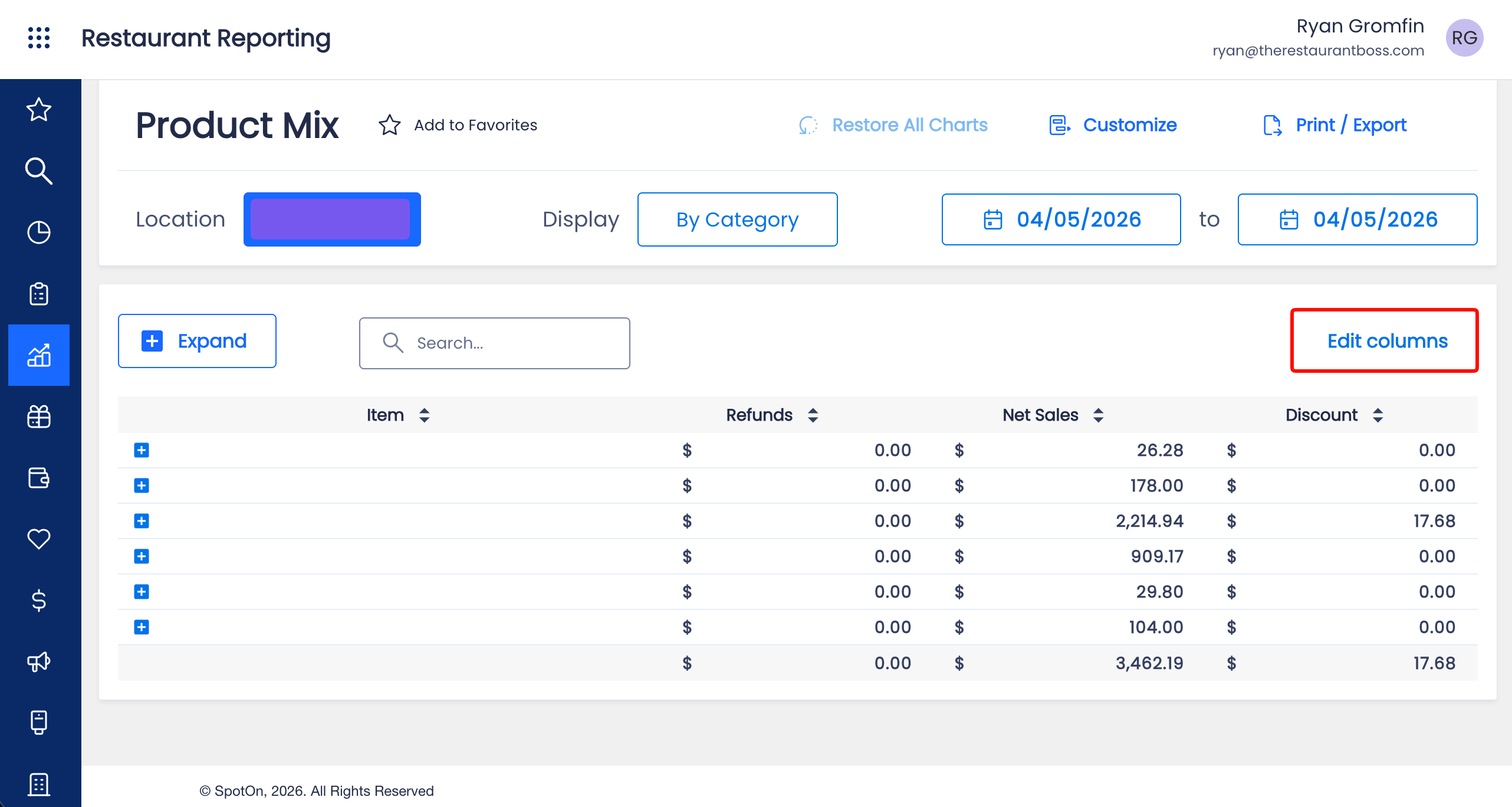
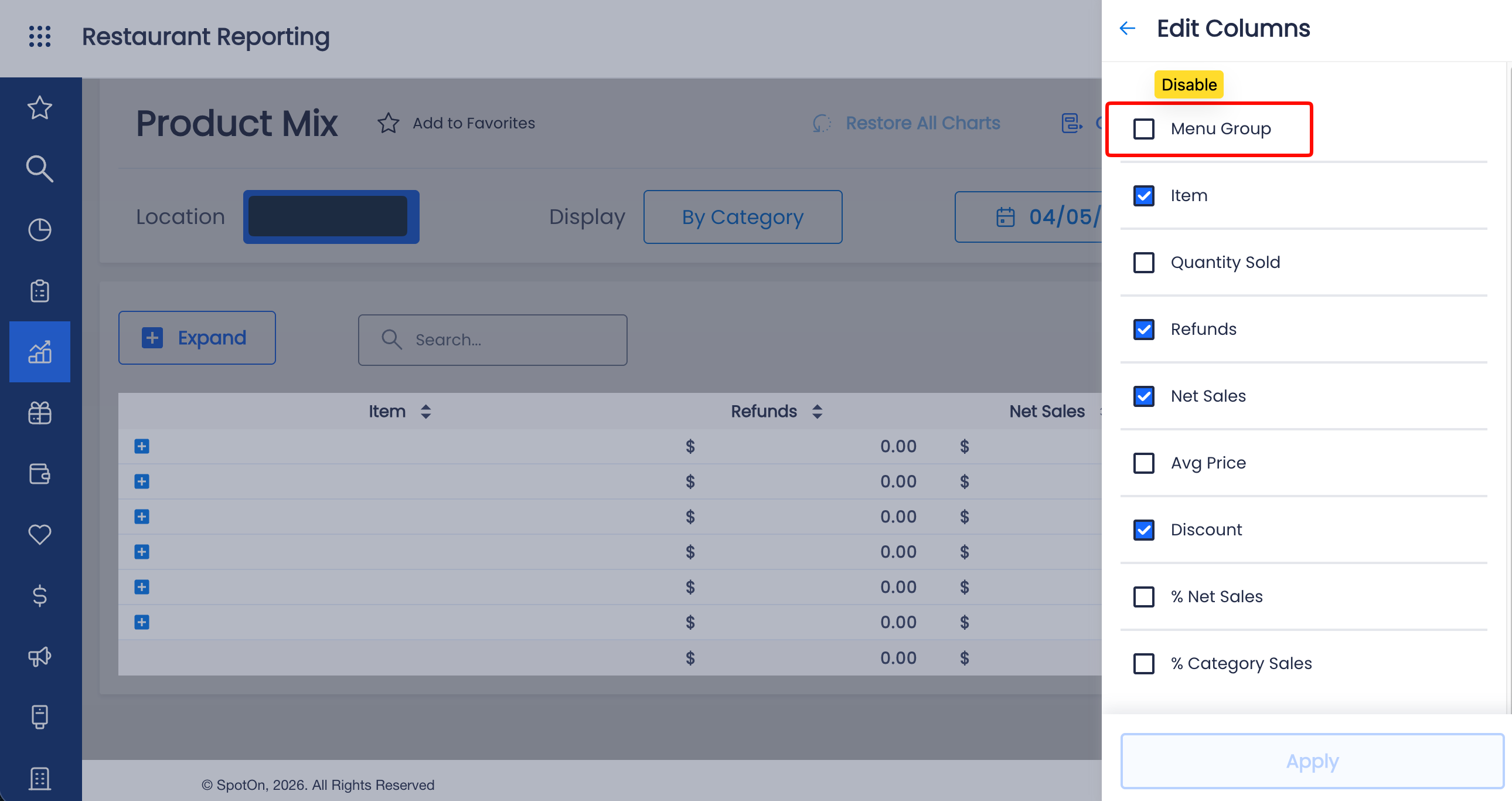
- Edit the columns and disable Menu Groups then click APPLY
- Check off each day of the week
- Enter the email provided under “additional recipients”
- Click SAVE
iv) Discount Summary
- Choose the report from the drop down
- Choose the location from the drop down
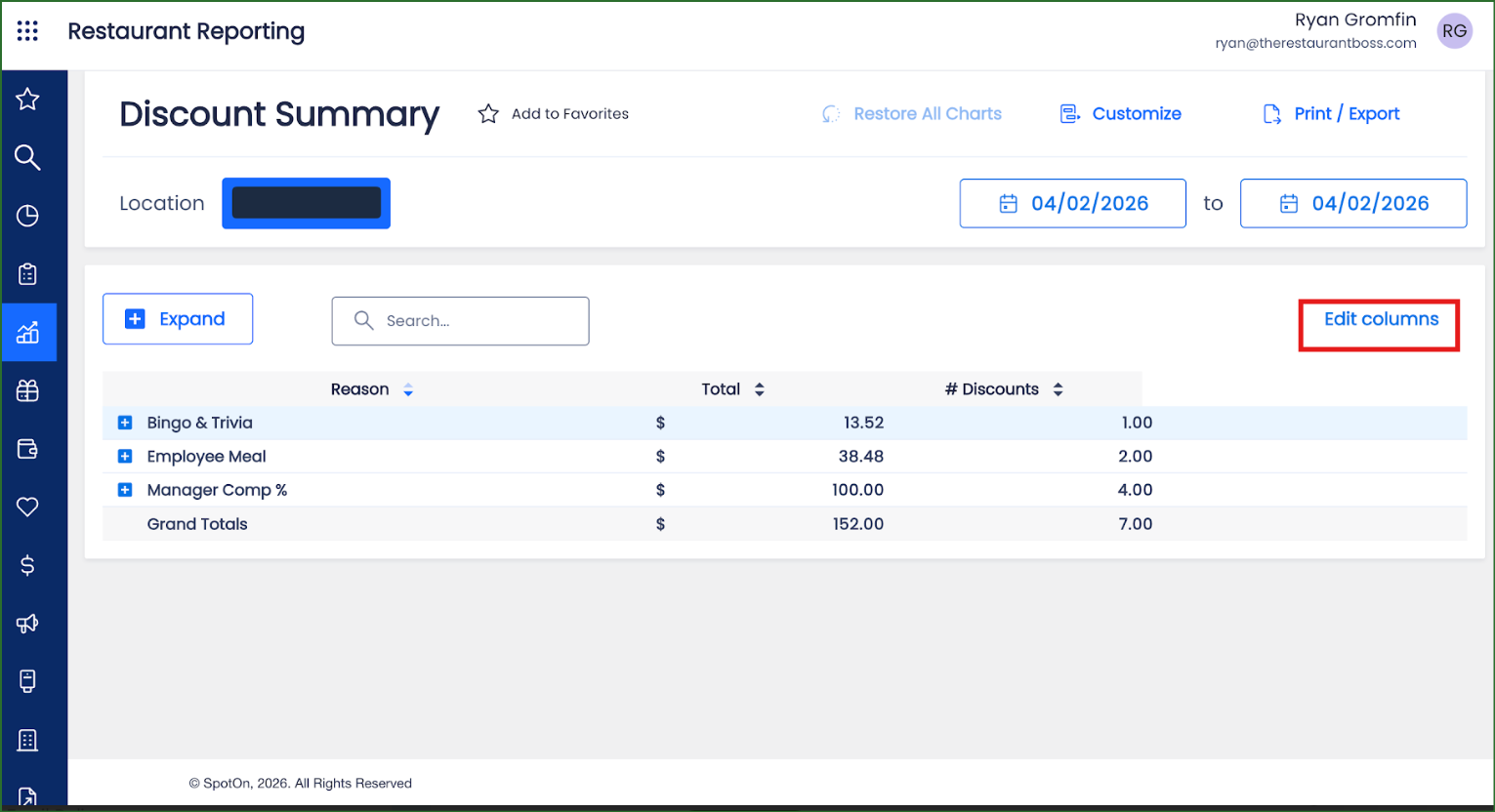
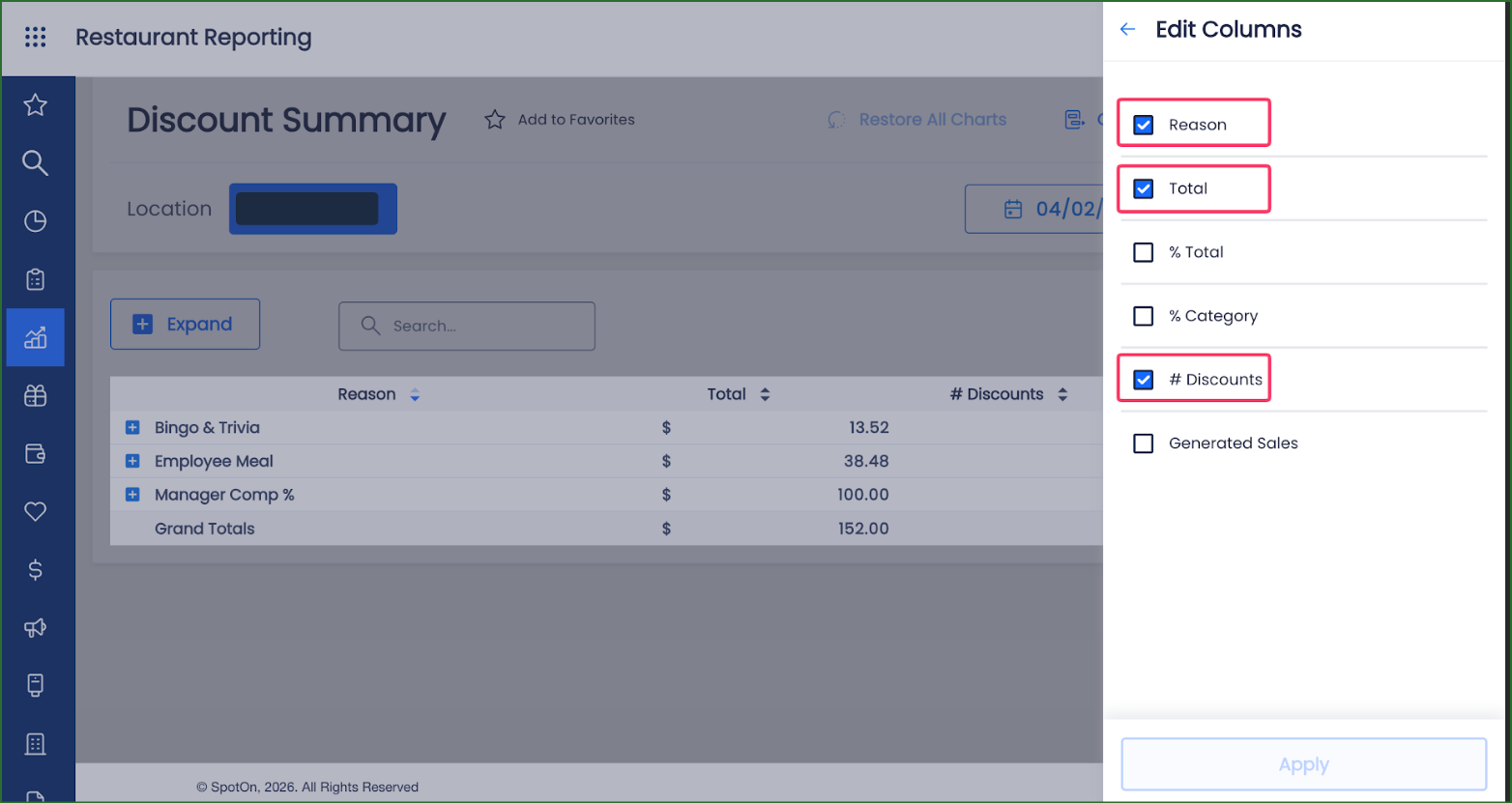
- Edit the columns and ensure that Reason, Total and # Discounts are checked, then click APPLY
- Check off each day of the week
- Enter the email provided under “additional recipients”
- Click SAVE
4. Since SpotOn is entirely email subscription based for their reports, if you have any historical data you would like us to add to your account, you will need to download each report for each day and send those to support@clickbacon.com.