
If you have integrated to your POS, you may find that your DSR (Daily Sales Receipt) has inaccurate information. This usually happens because your POS has updated information after we have pulled the data for the day. A re-pull will bring in the current data for that day from your POS.
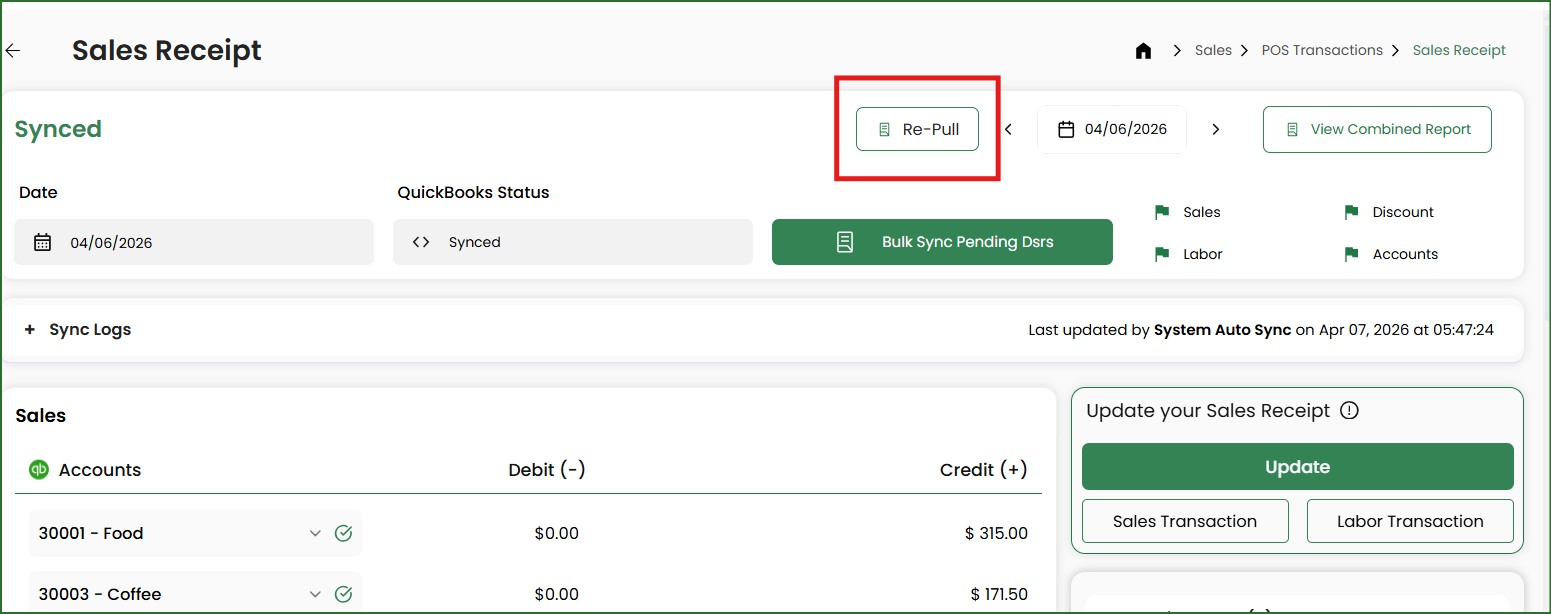
Click on the REPULL button from inside your DSR.
Entering the reason for your repull is optional.
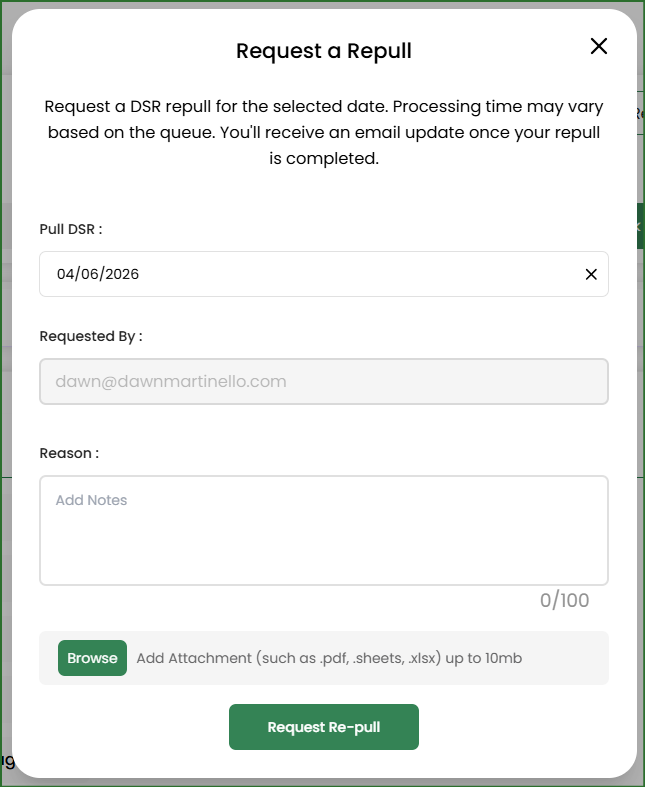
Currently, only Toast API connections are automated. All other POS systems or other extraction methods for Toast are manually run by our team. Please allow up to 24 business hours. We will send you an email when you initiate the repull and when it is complete.
If your request is still in progress, the button will be greyed out. Hover over it to see when the repull was requested.

In some instances, after a repull has completed, your DSR may still be out of balance. If this happens, we will send you an email asking you to request a new repull but to also include a copy of the sales report as we do not have access to that information. Our team will review your report and further investigate the issue. This investigation may take a day or two depending on the problems we find.
Related Articles
Toast (SFTP): How to Manually Fix Your Unbalanced DSR
Spot On: How to Email POS Reports for a Repull