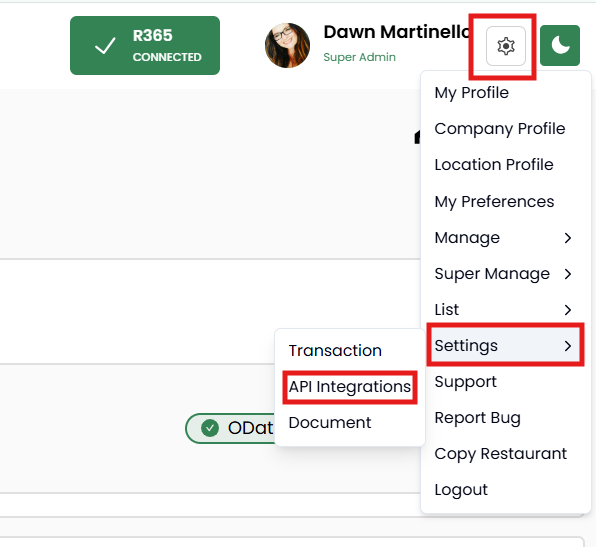
To add or edit your R365 OData or FTP credentials, click on the gear icon next to your name in the top right corner. Choose SETTINGS then API INTEGRATIONS.
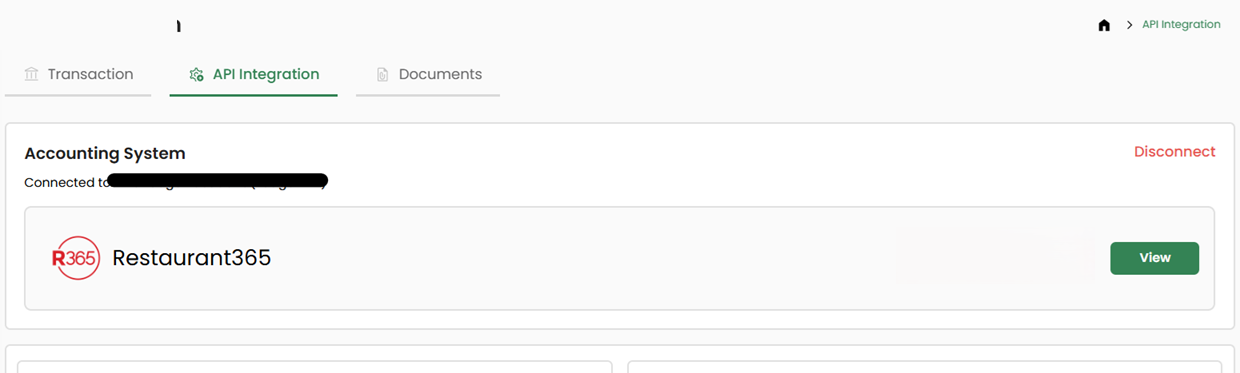
Click on the VIEW button.
Enter your FTP and OData credentials and click VERIFY.

Modified on: Wed, Apr 22, 2026 at 12:11 PM
To add or edit your R365 OData or FTP credentials, click on the gear icon next to your name in the top right corner. Choose SETTINGS then API INTEGRATIONS.
Click on the VIEW button.
Enter your FTP and OData credentials and click VERIFY.
Did you find it helpful? Yes No
Send feedback