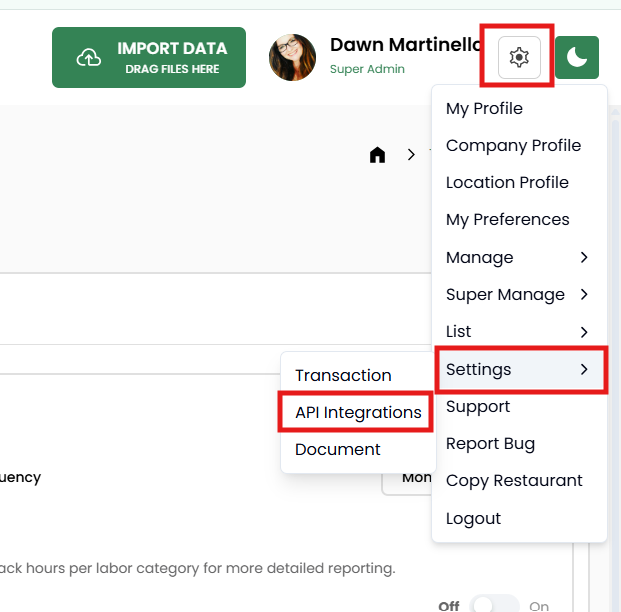
To connect your clickBACON account to R365, click on the gear icon next to your photo in the top right hand side of the screen. Click on SETTINGS then API INTEGRATIONS.
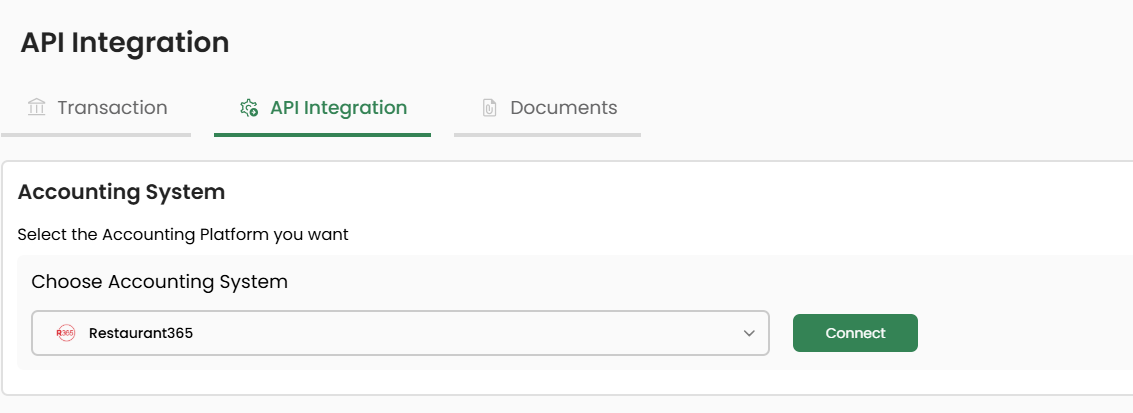
Under Accounting System, choose Restaurant 365 from the dropdown list then CONNECT.
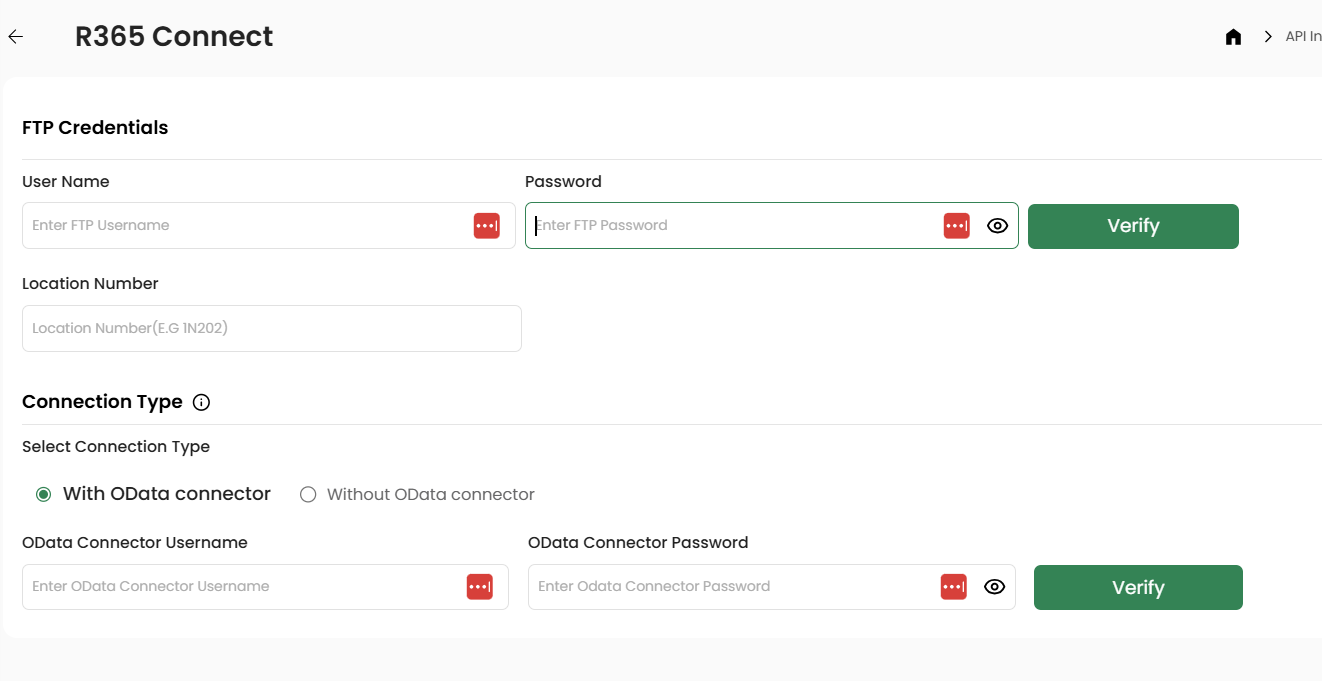
Enter your FTP credentials and OData credentials and click the VERIFY buttons next to each of them.
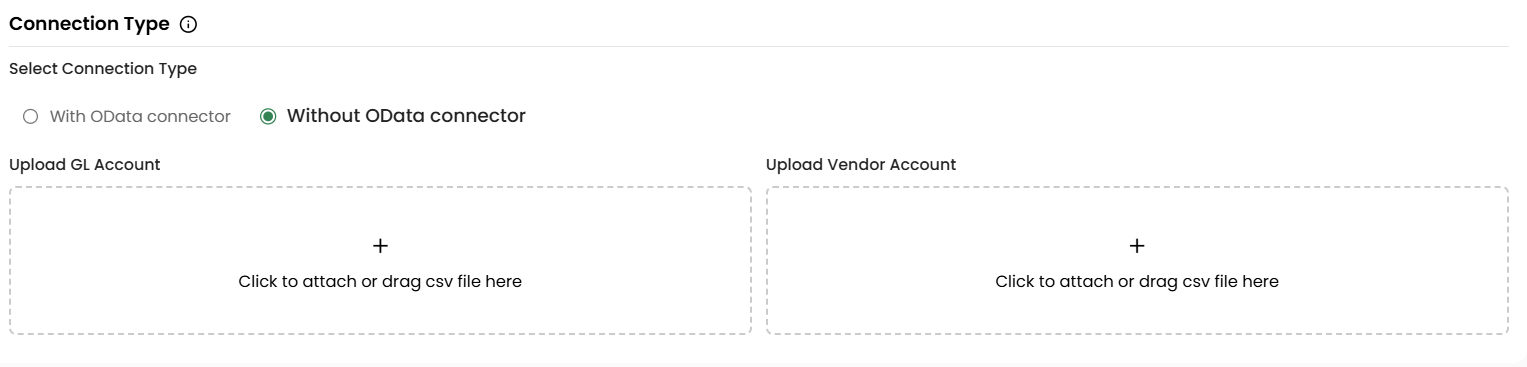
While it is highly recommended that you connect with OData, we do still offer you the ability to upload your GL accounts and Vendor lists. If you change any information in R365, you must re-export and re-import it here each time.