
This API integration between Skytab/Shift4 and clickBACON will allow us to pull in your daily sales and labor data. This will require a clickBACON Restaurant Intelligence or AI plan.
Ensure that Marketplace is enabled in your Skytab/Shift4 account.
Being able to access the Marketplace is a user specific setting. If this is missing from your account, you can either have an admin-level turn it on for you or you will need an admin level user to complete the integration in clickBACON.
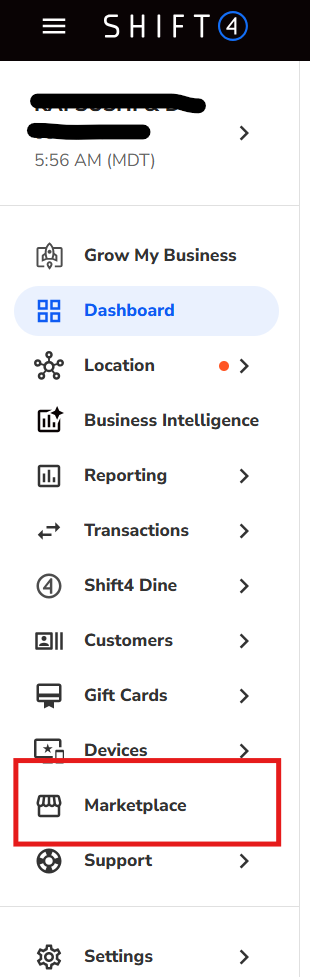
HOW TO TURN ON MARKETPLACE FOR A USER
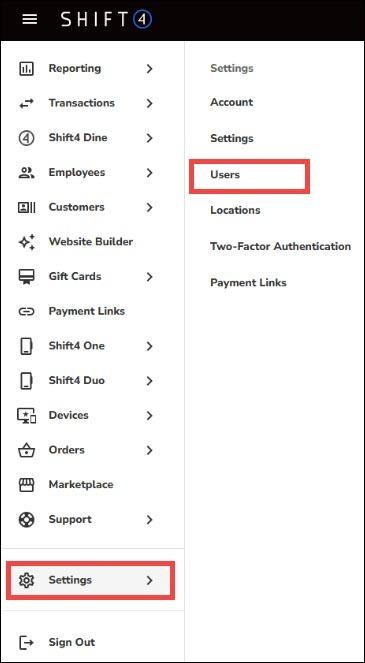
Click on SETTINGS and then USERS. Find the user that needs Marketplace turned on and select EDIT on the far right.
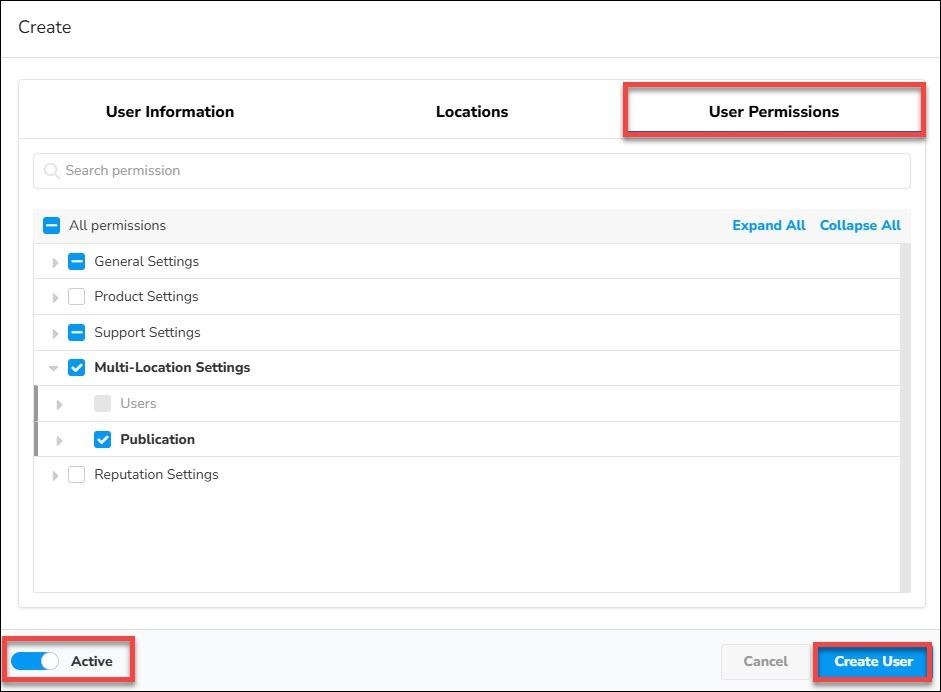
Open the User Permissions tab. Expand GENERAL SETTINGS and ensure Marketplace is checked then click SAVE or UPDATE USER.
You may need to sign out and back in. If Marketplace is still missing, verify that you are editing the correct location and that you are signed in with the main administrator account.
INITIATE THE CONNECTION IN CLICKBACON
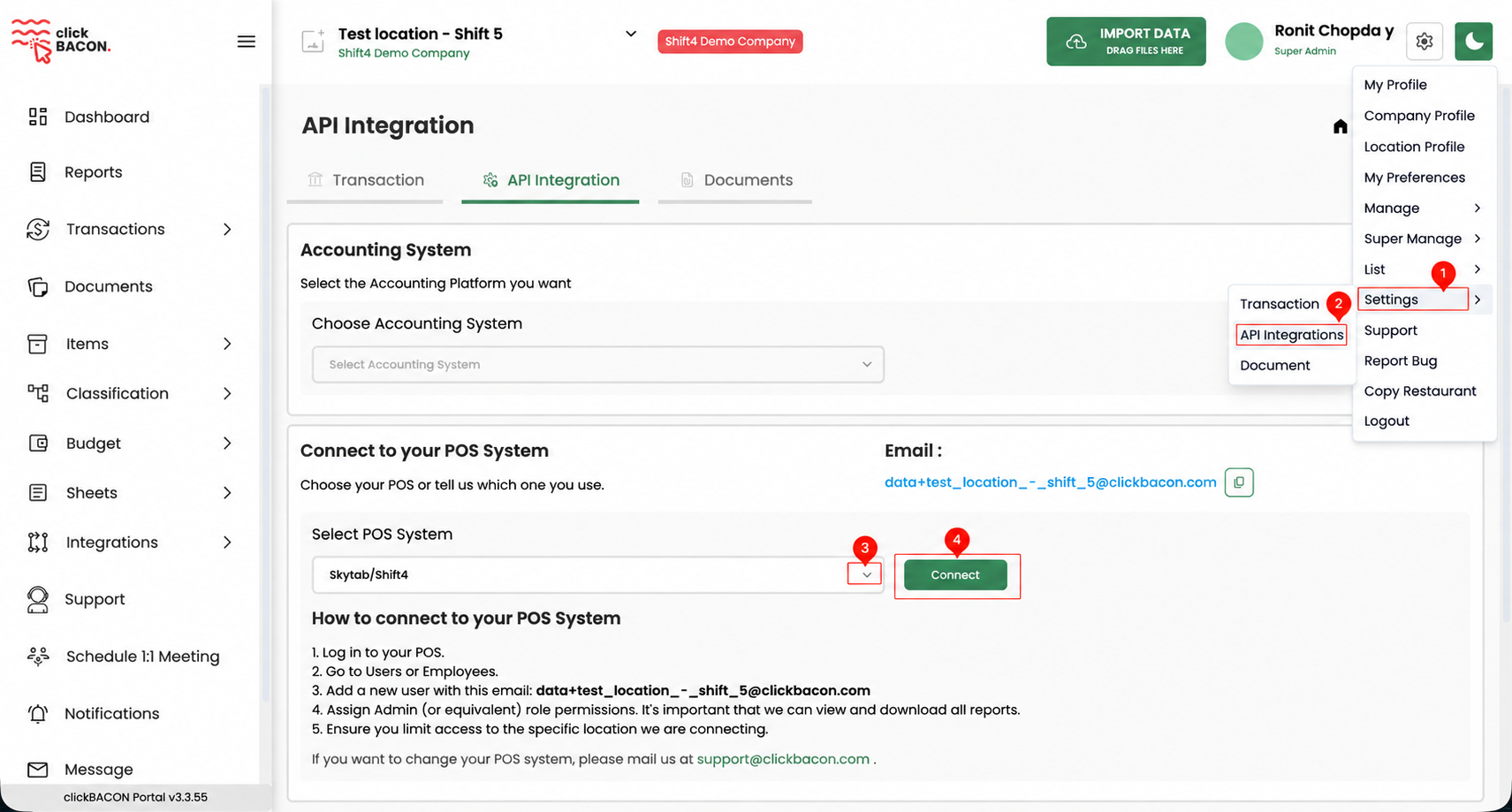
Ensure you are in the correct location. Click on the GEAR icon then SETTINGS and then API INTEGRATIONS.
Under Connect to your POS System, select Skytab/Shift4 from the drop down and then CONNECT.
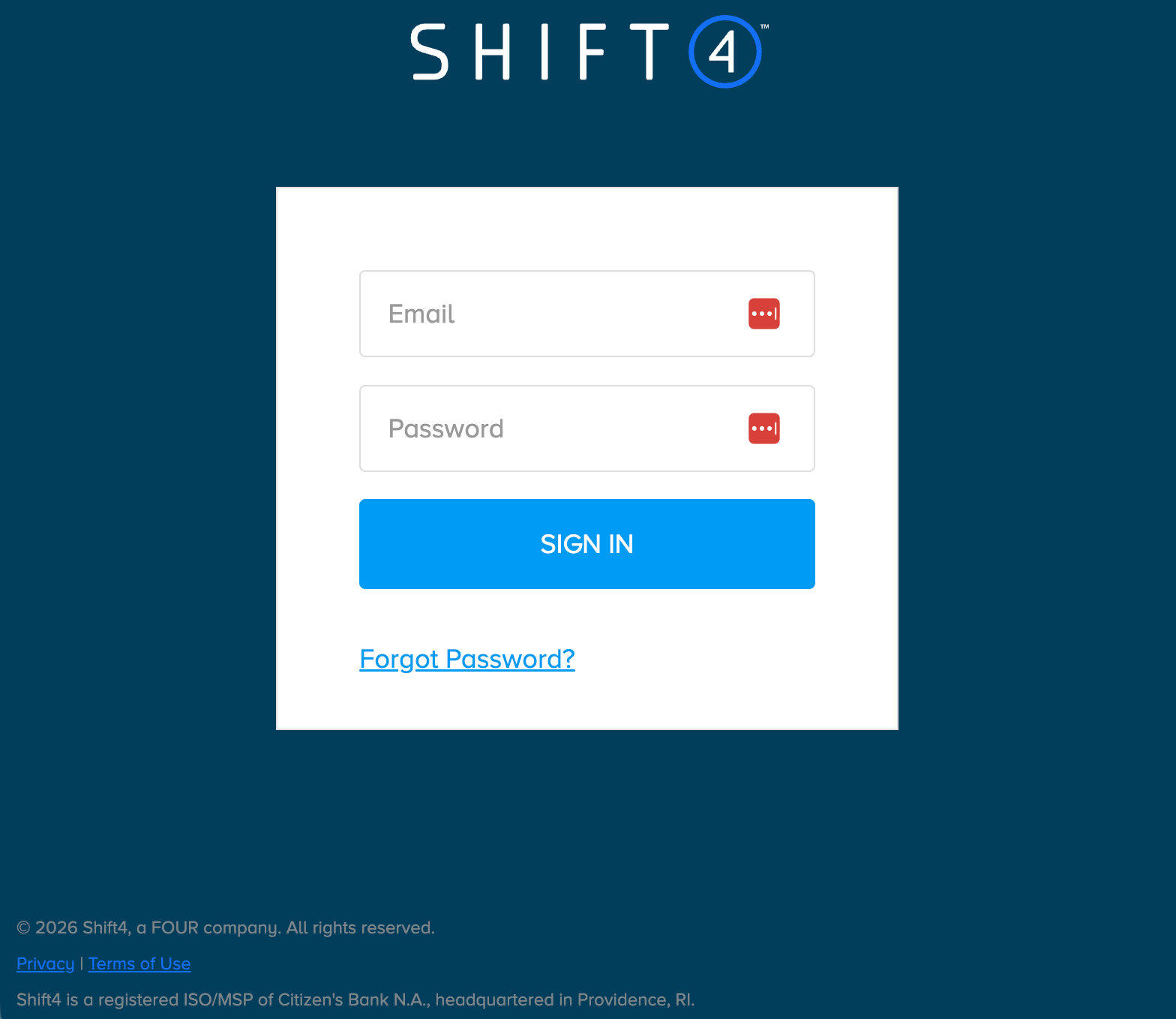
Sign into your Skytab/Shift4 account. If you don't see the pop up, please make sure that you don't have pop ups blocked. You must sign in using the account that has access to the location and Marketplace.
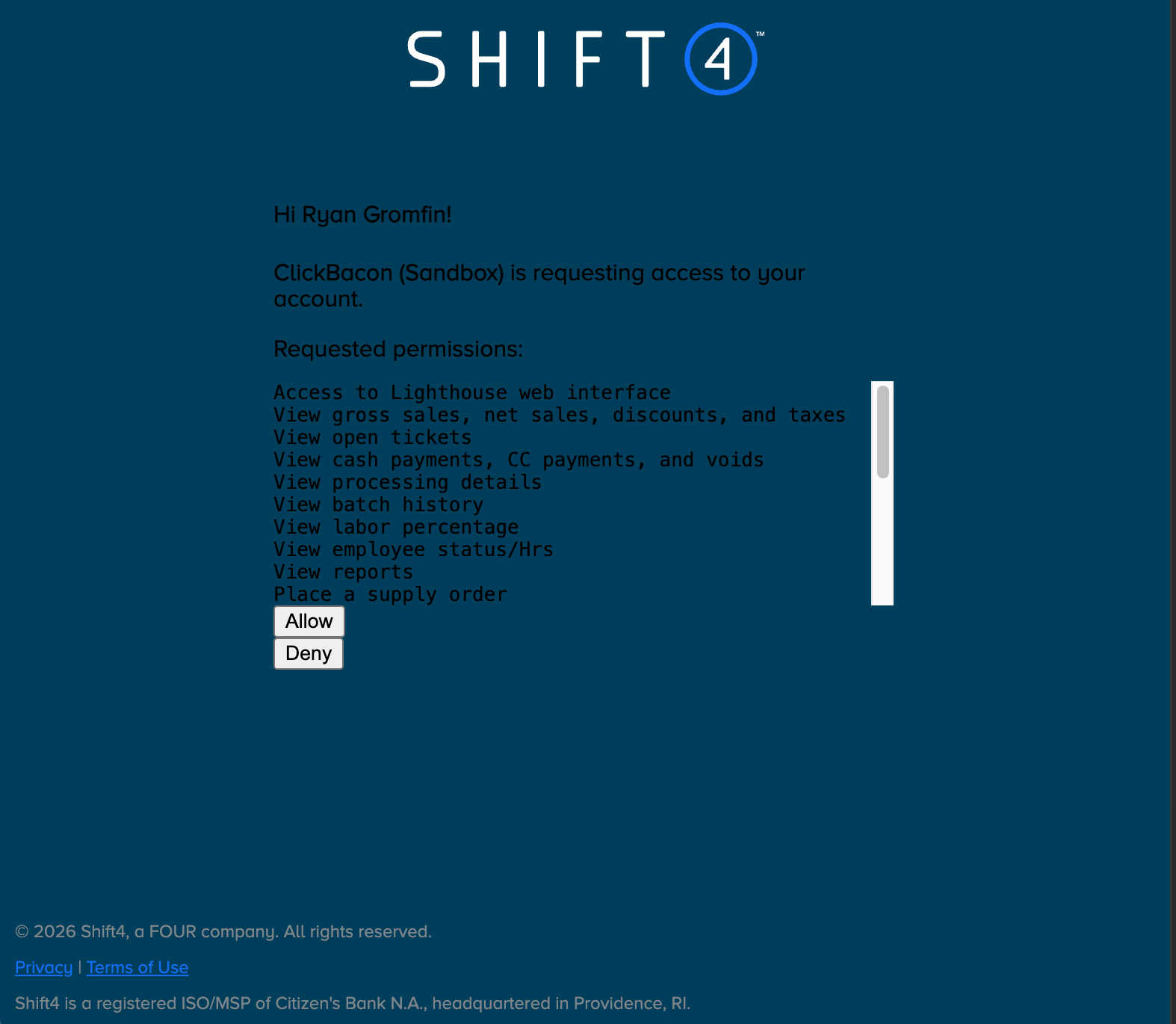
Review and accept the permissions. This window should close automatically after selecting ACCEPT. If it does not, please close the window and return to clickBACON.
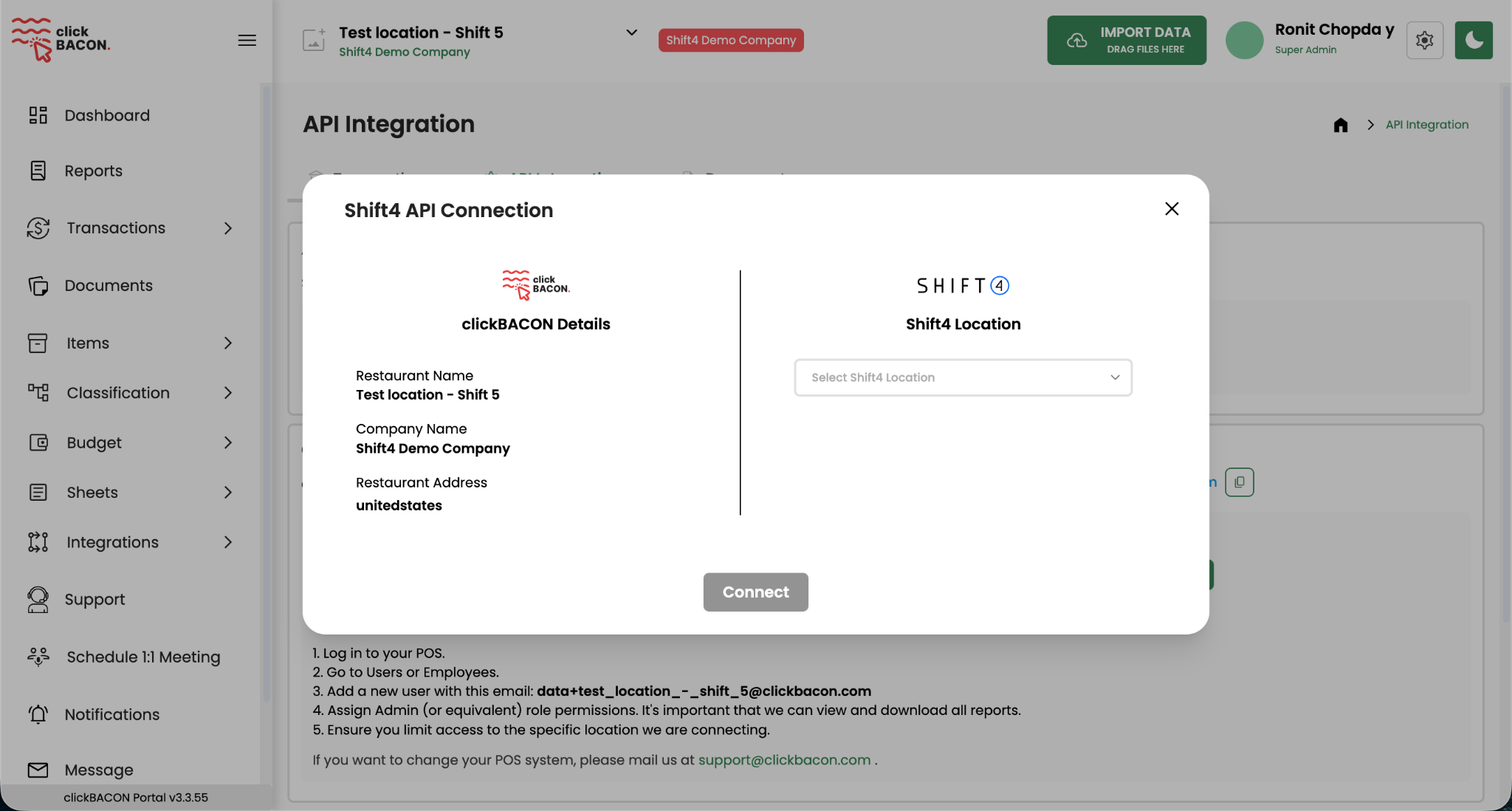
MAP THE SKYTAB/SHIFT4 LOCATION IN CLICKBACON
From the dropdown, choose the correct matching location from your POS that matches the clickBACON account then select CONNECT.
Historical onboarding options may appear next allowing you to bring in previous data from your POS. Choose dates carefully because this can overwrite existing clickBACON transactions.
HOW TO DISCONNECT FROM CLICKBACON
You can disconnect your POS from clickBACON or Skytab/Shift4.
From clickBACON, ensure you are in the correct location. Open the gear menu and go to SETTINGS > API INTEGRATIONS then click on DISCONNECT.

To disconnect from Skytab/Shift4, log into your POS and select MARKETPLACE.
Under My Apps open the clickBACON application.
Expand How to uninstall this integration and select UNINSTALL.